Showing posts with label array. Show all posts

Wednesday, January 22, 2014

"data" attribute in HTML5 and JQuery

This is used for store a value(its may string, array or object) on a html element.

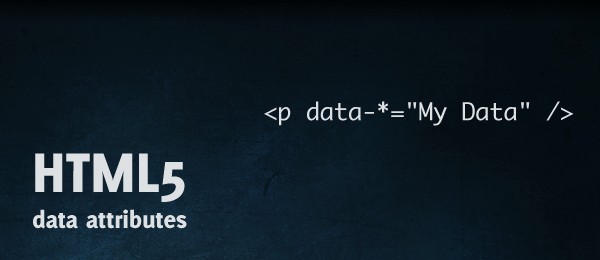
Setting "data":
<input type="text" id="city" data-info="Main City" />      // Setting via html.
$('#city').data('city', "Main City");                                      // Setting via JS.
$('#city').data('city', ["blue","green","red"]);                      // Store array. 
$('#city').data('city', {special:"River",issue:"Factory"});    // Store object.

Getting Data:
var detail=$('#city').data();

Note: Do not use capital letters on "data" attribute name. Its not working.

Monday, December 16, 2013

Array in javascript - Basics

Declare an Array

var arr = new Array(); // Declaring an empty array.

var arr = [5,'sky blue','test']; // Simple array with custom values and default keys.
Structure: arr( [0] => 5,
                       [1] => sky blue,
                       [2] => test
                     );

var arr = [ {'id':23}, {'name':'green'}, {'category':'color'} ]; // Simple array with custom values and custom keys.
Structure: arr( [id]  => 23,
                       [name] => green,
                       [category] => color
                     );

var arr=[ {'id':23,'name':'green','category':'color'}, {'id':24,'name':'mango','category':'fruit'}, {'id':25,'name':'rose','category':'flower'} ]; // Multidimensional array with custom values and custom keys.


Access an Array

// Now consider arr is an array, which had we already created.

console.log(arr); // Display array in JavaScript console.

arr['new']='something'; // Add a new value with specific key.

arr.push('somemore'); // Add a new value with out specific key.

arr.pop(); // Remove last element from array.

arr.shift(); // Remove first element from array.


For Each in Array

<script type='text/javascript' src='js/jquery.js'></script> // JQuery need for use $.each function
var arr = [5,10,15];
$.each(arr,function(key,value){
console.log(key+' : '+value);
});
//Out put:
0 : 5
1 : 10
2 : 15


Thursday, August 22, 2013

Javascript Local Storage

Reference: http://www.htmldog.com/guides/javascript/advanced/localstorage/

When building more complex JavaScript applications, it’s very useful to be able to store information in the browser, so that the information can be shared across different pages.

Unlike cookies, local storage can only be read client-side - that is, by the browser and your JavaScript. If you want to share some data with a server, cookies may be a better option.

Set Item: localStorage.setItem('name', 'tom');

Get Item: var name = localStorage.getItem('name');


Example:

<html>
      <head> 
              <title>Javascript Local Storage</title>
      </head>
      <body>
              Give some input to store on local: <input type="text" id="input_msg" />&nbsp&nbsp              <input type="button" value="Submit" id="submit" onclick="saveOnLocal();" />
              <br /><br />
              Data from local: <span id="local_data"></span>
      </body>
</html>

<script type="text/javascript">
function saveOnLocal()
{
var data=document.getElementById('input_msg').value;
localStorage.setItem('input_msg',data); //Set local storage
document.getElementById('local_data').innerHTML=localStorage.getItem('input_msg'); //Get local storage
 localStorage.removeItem('input_msg'); //Clear specific local storage item
 //localStorage.clear(); //Clear all local storage item

}
</script>

You can only save string using javascript local storage, use JSON for save array.

Example:
<script type="text/javascript">
localStorage.setItem('name', JSON.stringify(your_array));
var user = JSON.parse(localStorage.getItem('name'));
</script>


Browser support for local storage is not 100% but it’s pretty good - you can expect it to work in all modern browsers, IE 8 and above, and in most mobile browsers too. And the storage size depends on the browser.


Tuesday, June 18, 2013

Get array input value in jquery

//js file

var tmp_array=new Array();
 $('input[name="search\\[\\]"]').each(function(){
tmp_array.push(this.value);
});

Learn JavaScript - String and its methods - 16

<!DOCTYPE html> <html> <head> <meta charset="utf-8"> <title>String and it's methods - JS...