Showing posts with label element. Show all posts

Wednesday, January 22, 2014

"data" attribute in HTML5 and JQuery

This is used for store a value(its may string, array or object) on a html element.

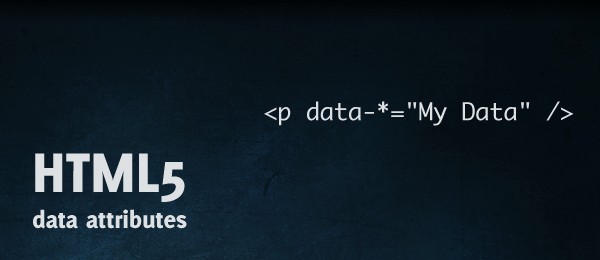
Setting "data":
<input type="text" id="city" data-info="Main City" />      // Setting via html.
$('#city').data('city', "Main City");                                      // Setting via JS.
$('#city').data('city', ["blue","green","red"]);                      // Store array. 
$('#city').data('city', {special:"River",issue:"Factory"});    // Store object.

Getting Data:
var detail=$('#city').data();

Note: Do not use capital letters on "data" attribute name. Its not working.

Wednesday, July 24, 2013

Apply Even and Odd classes for elements on, "while" or "for" loop

When we display list of elements using any looping, we need to add some two classes for differentiate one row from another. On this case we need use one extra variable, and increment it throw loop, then we can get '0' or '1' by mod(%) this value. So now we can have two different classes repeatedly like 'r0','r1'. And now write style for these two classes.

Example:
<style type="text/css">
Output
.list0{
background-color: #00B2C1;
}
.list1{
background-color: #50D4FF;
}
</style>
<html>
<title>Even and Odd classes for loopig elements</title>
<body>
<table cellspacing="0">
<tr>
<td>NO</td>
<td>Name</td>
</tr>
<?php $i=0; while($i<=10) { ++$i; ?>
<tr class="list<?php echo (++$x%2); ?>">
<td><?php echo $i; ?></td>
<td>Name <?php echo $i; ?></td>
</tr>
<?php } ?>
</body>
</html>


Note: Here we can use '$i' to mod. But most of cases we don't has this option, and more over here we wrote single line(++$x%2) to get mod value.

Wednesday, June 5, 2013

Custom attribute for html element

<a href="javascript:void(0);" detail="<?php echo $id; ?>" title="View" class="view">View</a>


Can access this via :
document.getElementById('view').getAttribute("detail");
OR
$(this).attr('detail');

Example:
<html>
<head>
<title>Custom Attribute</title>
</head>
<body>
<a href="javascript:void(0);" detail="1" title="Click to alert this id." class="view">Alert this id</a><br /><br />
<a href="javascript:void(0);" detail="2" title="Click to alert this id." class="view">Alert this id</a><br /><br />
<a href="javascript:void(0);" detail="3" title="Click to alert this id." class="view">Alert this id</a><br /><br />
<a href="javascript:void(0);" detail="4" title="Click to alert this id." class="view">Alert this id</a><br />
</body>
</html>

<script src="//ajax.googleapis.com/ajax/libs/jquery/1.10.1/jquery.min.js"></script>
<script type="text/javascript">
$('document').ready(function(){
$('.view').click(function(){
alert($(this).attr('detail'));
})
})
</script>


Learn JavaScript - String and its methods - 16

<!DOCTYPE html> <html> <head> <meta charset="utf-8"> <title>String and it's methods - JS...